Websites not working abroad? How to fix geo-blocks, banking and streaming when you travel
Disclosure: some links on this page are affiliate links. If you buy through them, CheckIfSiteDown may earn a commission at no extra cost to you. It never affects our status results, and we only recommend services with a strong reputation. Learn more.
You land in another country, open your banking app or favourite streaming service, and get "not available in your region", an endless login loop, or a completely different version of the site. The website isn't down: it can see you're abroad. Here's why that happens, how to fix it for each kind of site, and a short checklist to sort it out before your next trip.

Why websites change or stop working when you travel
Every device online has an IP address, and IP addresses map closely to countries. Websites use that to decide what to show you:
- Licensing: streaming services buy rights country by country, so their catalogue, or the whole service, changes when you cross a border.
- Security: banks, tax services and some government portals treat logins from abroad as suspicious, and may block them or demand extra checks.
- Local versions: shops, news sites and search engines redirect you to their local edition, with different prices, languages or content.
- Local laws: some countries block particular websites, apps or messaging services nationally.
- Hotel and airport Wi-Fi adds its own filters on top (see websites blocked on public Wi-Fi).
First, make sure it's not just down
Run the site through CheckIfSiteDown. If it's Down, it's broken for everyone and your location isn't the issue. If it's Up, the block is about where you are, or the network you're on.
The main fix: appear to be at home again
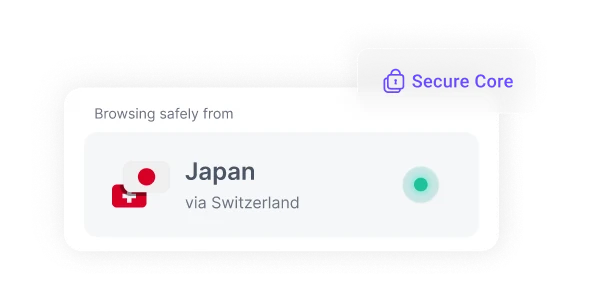
A VPN connects your device through an encrypted tunnel to a server in a country you choose. Pick a server in your home country and websites see a home IP address, so you get the same service, catalogue and login experience as you do at home. It also protects you on hotel and airport Wi-Fi, which is often open and shared with strangers.
Fixes by type of site
Banking and payment apps
- Tell your bank before you travel, if it offers travel notices, and keep its international support number handy.
- Make sure you can still receive security codes. If codes come by SMS, you'll need roaming on your home SIM. Switching to the bank's app-based approval or an authenticator app before you leave avoids that problem.
- Connect a VPN to your home country if the bank blocks foreign logins. Note that a few banks also block known VPN addresses; if yours does, try a different server, or use the bank's app on mobile data with roaming.
Streaming services
Expect a different catalogue, or no service at all, in some countries. Connecting to a home-country server usually restores what you're used to, but check your service's terms: some prohibit VPN use, and many actively block VPN addresses. Downloading shows and music for offline viewing before you leave avoids the issue entirely.
Government, tax and health portals
Some public-sector sites only accept visitors from inside the country. A home-country VPN server normally solves this. Log in once before you travel so you know your password and two-factor method work.
Shops, news and search
Look for a country or region selector, often at the very bottom of the page, to switch back to your home edition. Clearing that site's cookies can stop it redirecting you again.
VPNs we recommend for travel

A large server network in dozens of countries, consistently fast speeds and an independently audited no-logs policy.
- Servers in many countries to get around regional blocks
- Fast, stable connections
- Independently audited no-logs policy
Surfshark
Budget-friendly, with no limit on how many of your devices can connect at once — handy for a whole household.
- Unlimited devices on one subscription
- Low long-term pricing
- Audited no-logs policy

From the Swiss makers of Proton Mail: open-source apps, a strong privacy record, and a free plan to try it first.
- Based in privacy-friendly Switzerland
- Open-source, audited apps
- Free plan available
Prices and features change — check the provider's site for current offers. Each has a money-back guarantee, so you can try it risk-free.
Pre-trip checklist
- Install and test your VPN at home, and sign in to its app. In countries that restrict VPNs, providers' websites and app-store pages may be blocked once you arrive.
- Check the local rules. VPNs are legal in most countries, but a handful restrict or ban them. Look up your destination before you go.
- Sort out security codes: enable roaming, or switch your bank and important accounts to app-based approval.
- Log in to the essentials once (banking, email, travel bookings, tax or health portals) so passwords are saved and working.
- Download for offline use: maps, boarding passes, tickets, shows and playlists.
- Save support numbers for your bank and mobile provider somewhere you can reach without internet access.
- Update your apps and phone before you leave, while you're on fast, free Wi-Fi.
When a VPN won't fix it
- The site is actually down: check it, and wait if so.
- The service blocks VPNs: try another server or provider, or use mobile data with roaming.
- The account itself is region-locked, for example a payment method that only works in one country; a VPN doesn't change that.
- Your connection is the problem: hotel Wi-Fi that hasn't finished its sign-in page blocks everything. Open
http://neverssl.comto make the login page appear.
The short version
Abroad, websites see a foreign IP address and change or block what they show you. Check the site is actually up, then connect a reputable VPN to a server in your home country. For the smoothest trip, install and test that VPN, and sort out your bank's security codes, before you leave.